> ## Documentation Index
> Fetch the complete documentation index at: https://docs.cutbg.net/llms.txt
> Use this file to discover all available pages before exploring further.
# Authentication and token flow
> Create and copy your user token in the dashboard.
## Get your user token
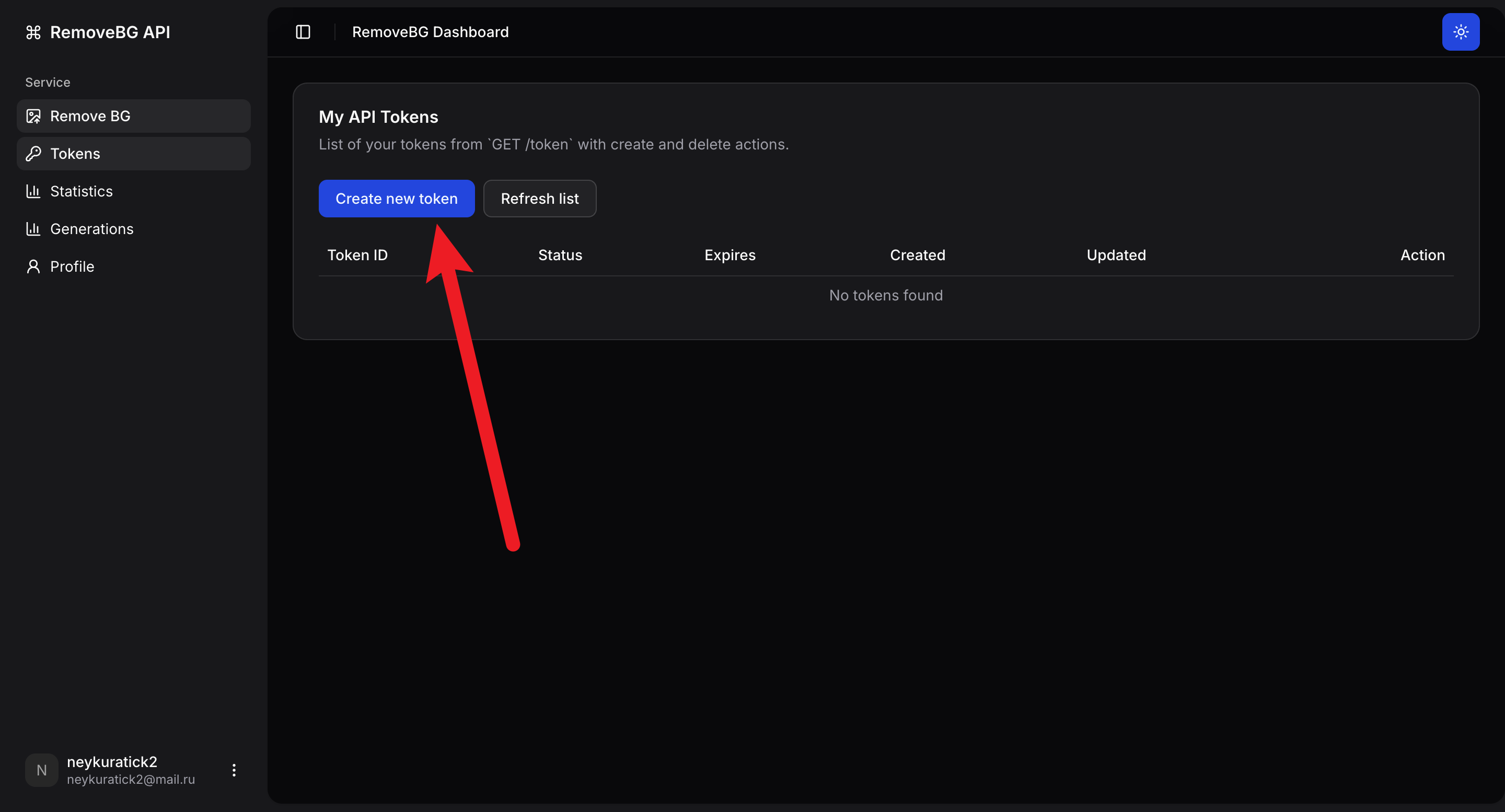
1. Open [**Tokens**](https://dashboard.cutbg.net/dashboard/tokens) and click **Create new token**.
 2. Copy the value from `Token ID`. This is your user token for API requests.
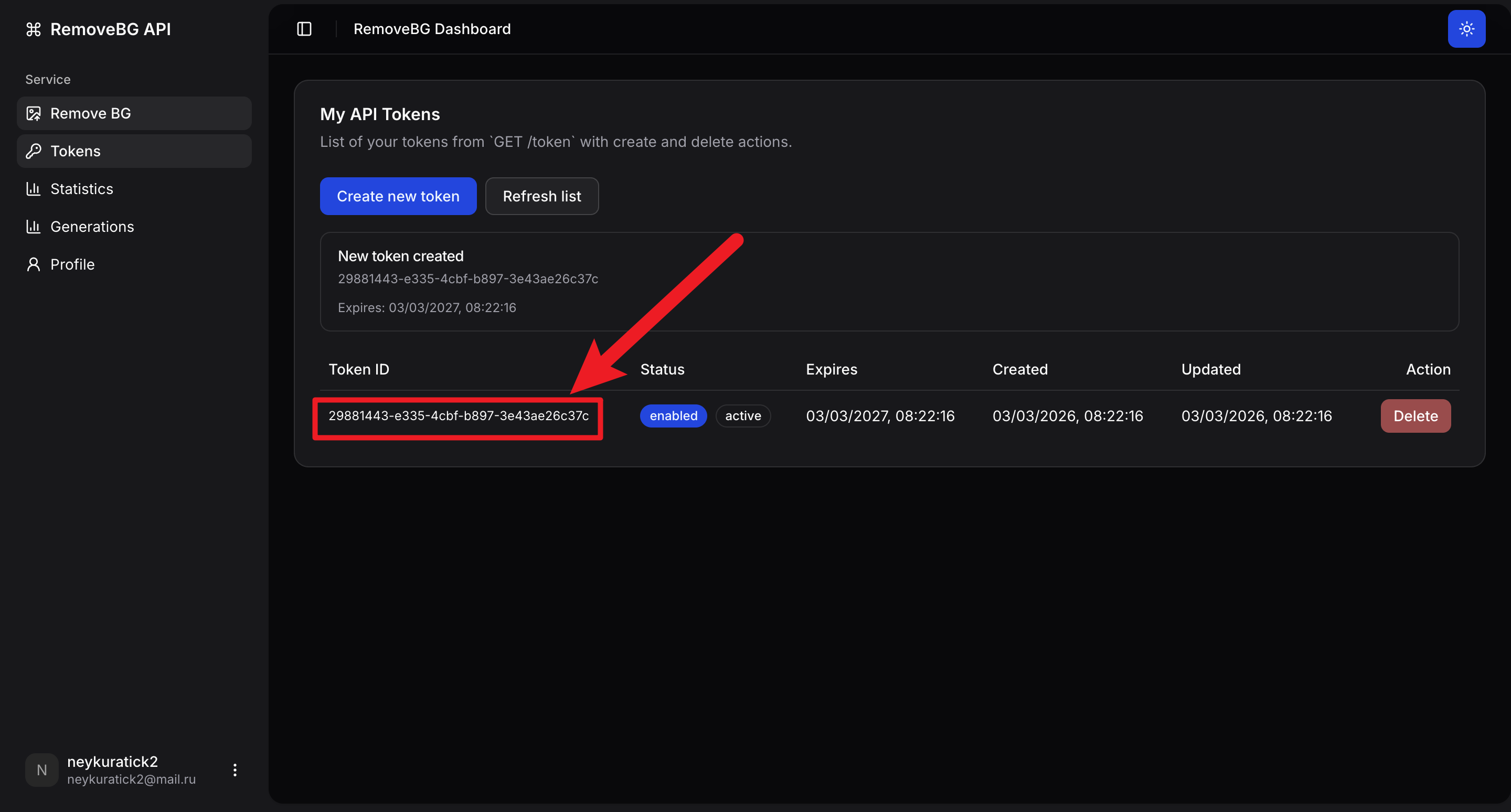 Send this token in the `token` header for API calls that require authentication.